
How to Close your Desktop Session
Right Click the Windows button  in the bottom left of your monitor.
Hover over “Shut down or sign out” then click “Sign Out”
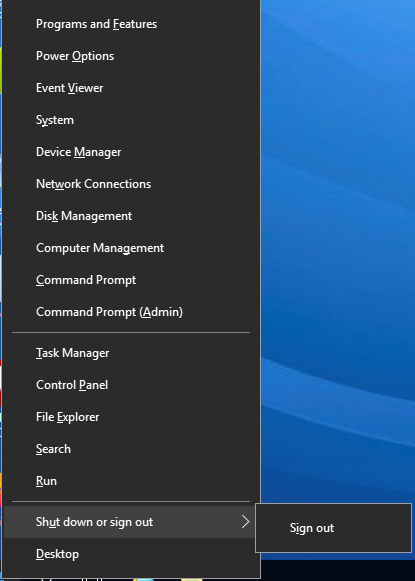
This will completely close your remote desktop session, and when you sign in after a few minutes it will launch a new one.